Workflows
Workflows are the core component of this plugin. They model the lifecycle of all or a group of users on your Moodle site by defining a sequence of steps that applicable users will pass through.
Each workflow consists of one or more steps. Every step combines:
- One or more filters that decide when and which users should enter that step.
- One or more actions that are executed as soon as a user enters the step.
Once a user is ingested into a workflow, the plugin automatically tracks the user's progress through the workflow within a, so called, user process and executes the defined actions at the appropriate time.
Workflow execution model
Workflows and steps are executed in a specific order. Understanding the execution model is crucial for designing workflows that work as intended and for troubleshooting unexpected behavior.
You can find more details about the execution model in the respective documentation section:
Components and terminology
- Workflows are the top-level containers that represent a single user lifecycle.
- Steps define the sequential stages inside a single workflow.
- Filters select users for ingestion into the workflow and decide about transitions to subsequent steps.
- Actions are executed upon entry into a step, for example sending a mail, suspending an account, or deleting a user.
- User processes represent the state of a single user inside a specific workflow. They are created when a user enters the first step and are progressed automatically through the workflow.
- Ingestion is the process of a user entering into the first step of a workflow and thereby starting a new user process.
In practice, a typical workflow starts with a broad selection step, for example “inactive for 3 years”, and then adds more steps for grace periods, reminders, suspension, or deletion.
Example
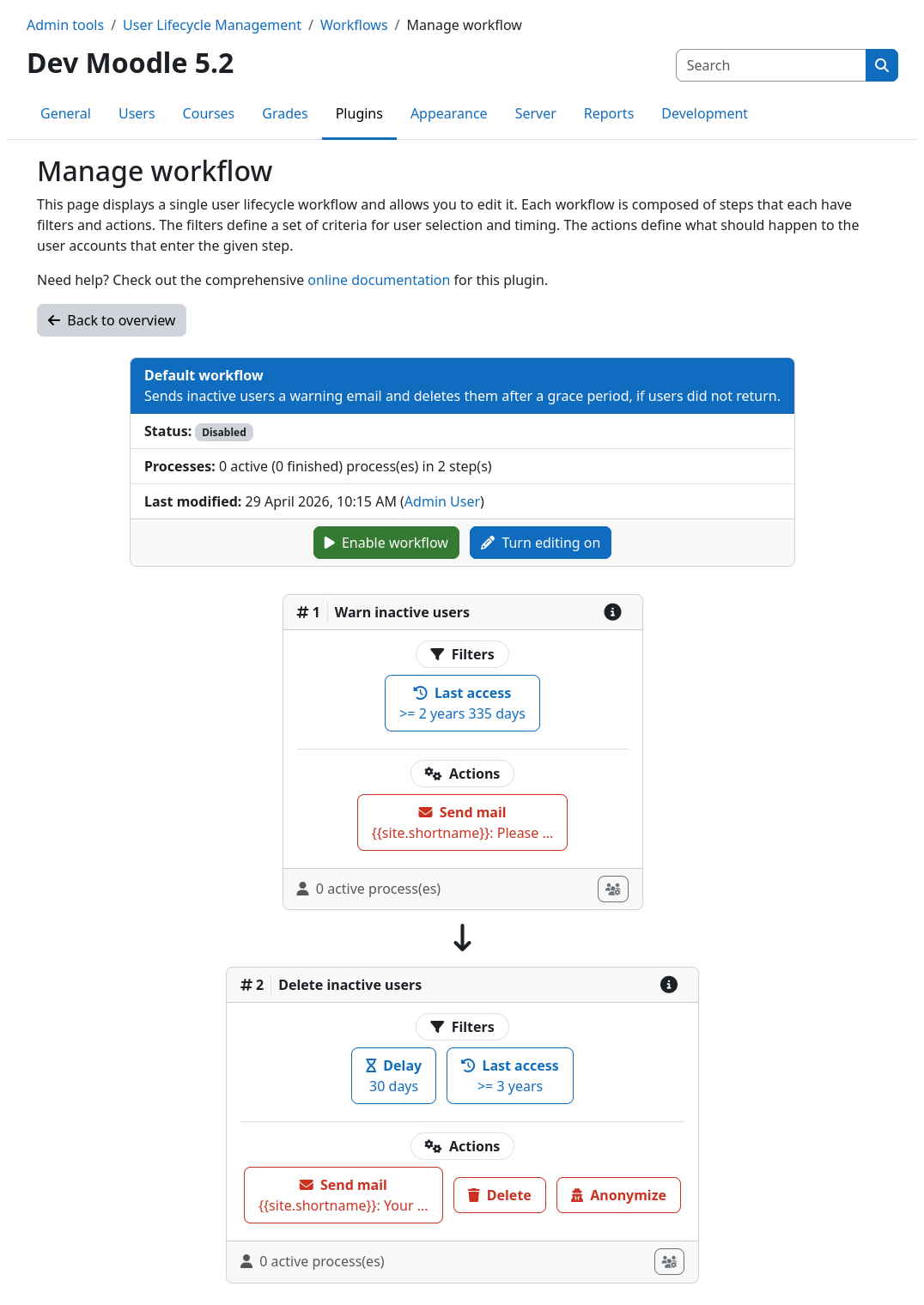
The following screenshot shows the default workflow that comes with the plugin. It is designed to automatically delete users that have been inactive for a long time. Our getting started section walks you through the whole process of creating and using this workflow.
Further reading
You can find more detailed documentation about workflows and their components in the following sections: