Action Log
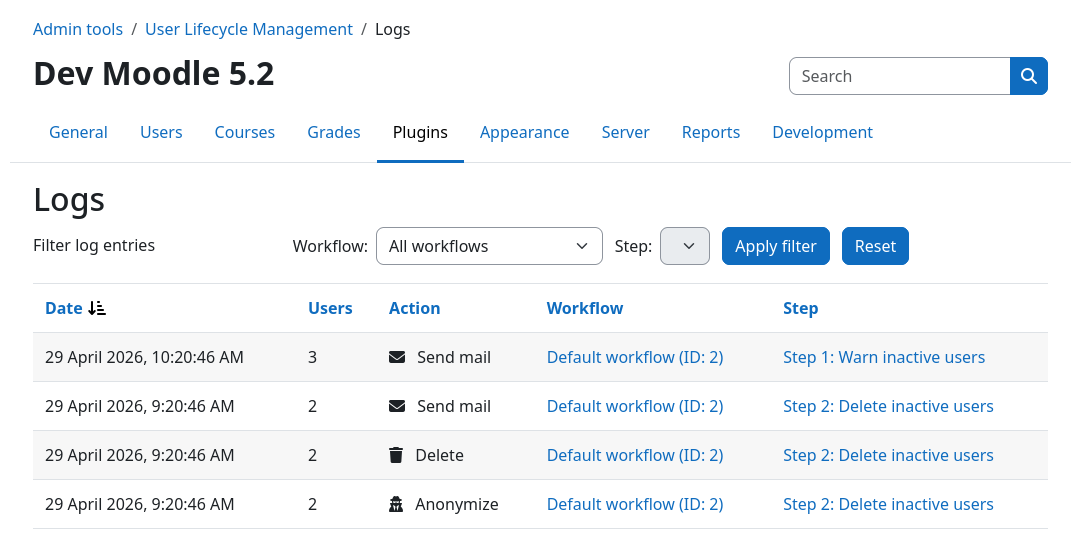
The action log allows you to audit what the plugin has done over time and how many user were affected by which workflows and actions. Action log entries are always written whenever any action is executed during workflow processing.
Inspecting the action log
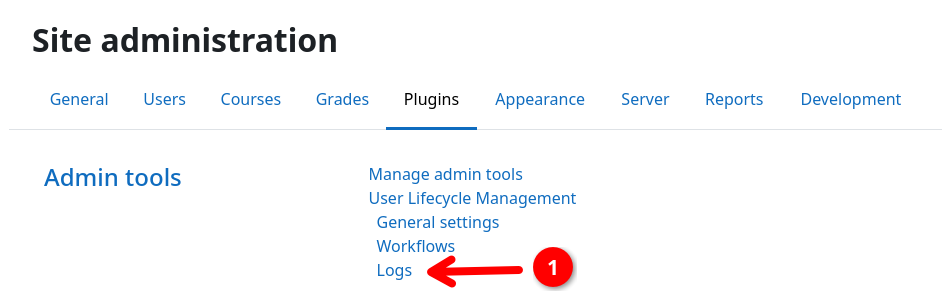
You can access the action log by navigating to Site administration / Plugins, scrolling down to Admin tools / User Lifecycle Management and selecting Logs 1. This will bring you to the action log page.
By default, actions from all workflows are shown in chronological order with the most recent actions at the top. You can use the filter bar at the top to narrow down the shown log entries to a specific workflow or step.
Understanding the users column
The action log is aggregated. A single entry represents one action being executed for a number of users during a workflow run at a specific point in time.
For example, in a single workflow run, 25 users enter a step with a send mail action directly followed by a suspend action. This will create two action log entries:
- (A) 25 users that got a mail, and
- (B) 25 users that got suspended.
Both entries will have the same timestamp, workflow, and step associated with them.
System events
In addition to action plugin executions, the log also records the following system events:
| Event | When it appears |
|---|---|
| Process timed out | A user's process was automatically aborted because it exceeded the step's configured timeout (enforced by the daily cleanup task). |
| Process aborted (manual) | An administrator manually aborted a specific user's process via the user process management page. |
| Process aborted (workflow deactivated) | A workflow was deactivated, causing all active user processes to be aborted. One entry is created per step that had active processes at the time of deactivation. |