Subplugin instance settings
Instance settings are the configuration values of a concrete action or filter instance inside a workflow step. They are defined declaratively by each subplugin and are persisted as key-value entries in a shared plugin table.
The different settings a subplugin supports are defined via the static
instance_setting_descriptors(): array
method and feed automatically in the instance settings form within the UI.
Overview
Overview reduced for clarity
For clarity, the following overview diagram is reduced to the most important classes and members. Therefore, some
details like methods, parameters, or members are omitted. Please refer to the plugin source code
for a complete reference.
classDiagram
    direction TB

    class step_subplugin {
        <<abstract>>
    }

    class subplugin_instance_settings {
        <<trait>>

        +instance_setting_descriptors()$ instance_setting_descriptor[]
        +get_all_instance_settings() array
        +get_instance_setting(key: string) mixed
        +set_instance_setting(key: string, value: mixed) void
        +load_default_instance_settings(overrides: array) void
        +validate_instance_settings_data(settings: array) array
        +is_all_required_instance_settings_set() bool
    }

    class instance_setting_descriptor {
        +key: string
        +title: lang_string
        +type: string
        +required: bool
        +default: mixed
        +choices: ?array
        +serialize: bool
        +readonly: bool
        +mformtype: string
    }

    step_subplugin ..> subplugin_instance_settings
    subplugin_instance_settings --> instance_setting_descriptor

    style instance_setting_descriptor fill:#dedede,stroke:#666666
    style subplugin_instance_settings fill:#dedede,stroke:#666666
style step_subplugin fill:#dedede,stroke:#666666Implementation
All action and filter subplugins inherit the
subplugin_instance_settings
trait via the abstract \tool_userautodelete\step_subplugin
base class. The instance settings trait provides runtime access, persistence in the database, default
value loading, and validation.
The only method you must implement in your subplugin is:
instance_setting_descriptors(): array.
This method returns an array of instance_setting_descriptor objects. Each descriptor defines one setting and defines various properties
of the setting.
PHPDocs are the ground source of truth
Please refer to the PHPDocs in the source code as the ground source of truth for detailed information regarding the effects and implementation details for all instance setting descriptor fields.
Minimal Example
Here is a minimal example for a filter plugin userdeletefilter_pattern that defines a single instance setting
with the key needle as a text field:
public static function instance_setting_descriptors(): array {
    return [
        new instance_setting_descriptor(
            key: 'needle',
            title: new lang_string('setting_needle', 'userdeletefilter_pattern'),
            type: PARAM_TEXT
        ),
    ];
}
More complex reference implementations
Good real-world examples are available in
action/mail/classes/userdeleteaction.php,
filter/lastaccess/classes/userdeletefilter.php, and
filter/auth/classes/userdeletefilter.php
Default values
If supplied via the default property of the instance setting descriptor, the default value of the setting will
be automatically loaded when a new instance of the respective subplugin is created. This way you can control if
new instances of your subplugin are created with a pre-filled ready-to-use set of settings or if the user has to
fill in all settings from scratch.
Marking fields as required or read-only
You can mark a field as required by setting the required property to true. This will mark any instance of
the respective subplugin as invalid if that field is not set and prevent users from saving the instance settings
until a value for the required field is provided.
If you want to expose the value of a setting to the user but do not want to allow them to change it, you can mark
the field as read-only by setting the readonly property to true. This will render the field as disabled in
the UI and prevent users from changing its value.
Serialization of multidimensional setting values
If you want to store non-scalar values like arrays or objects in your instance setting, you should make use of the
automated serialization. To do so, simply set the serialize property of the respective instance setting
descriptor to true. This will transparently serialize your complex data values and stores them as JSON in
the database. During reads, the stored JSON is transparently deserialized and returned.
This, for example, allows you to work natively with arrays instead of comma-separated lists if you have a multi-select field:
new instance_setting_descriptor(
    key: 'auths',
    title: new lang_string('setting_auths', 'userdeletefilter_auth'),
    type: PARAM_TEXT,
    required: true,
    default: ['manual'],
    choices: self::get_auth_plugins(),
    serialize: true,
    readonly: false,
    mformtype: 'autocomplete-multi'
);
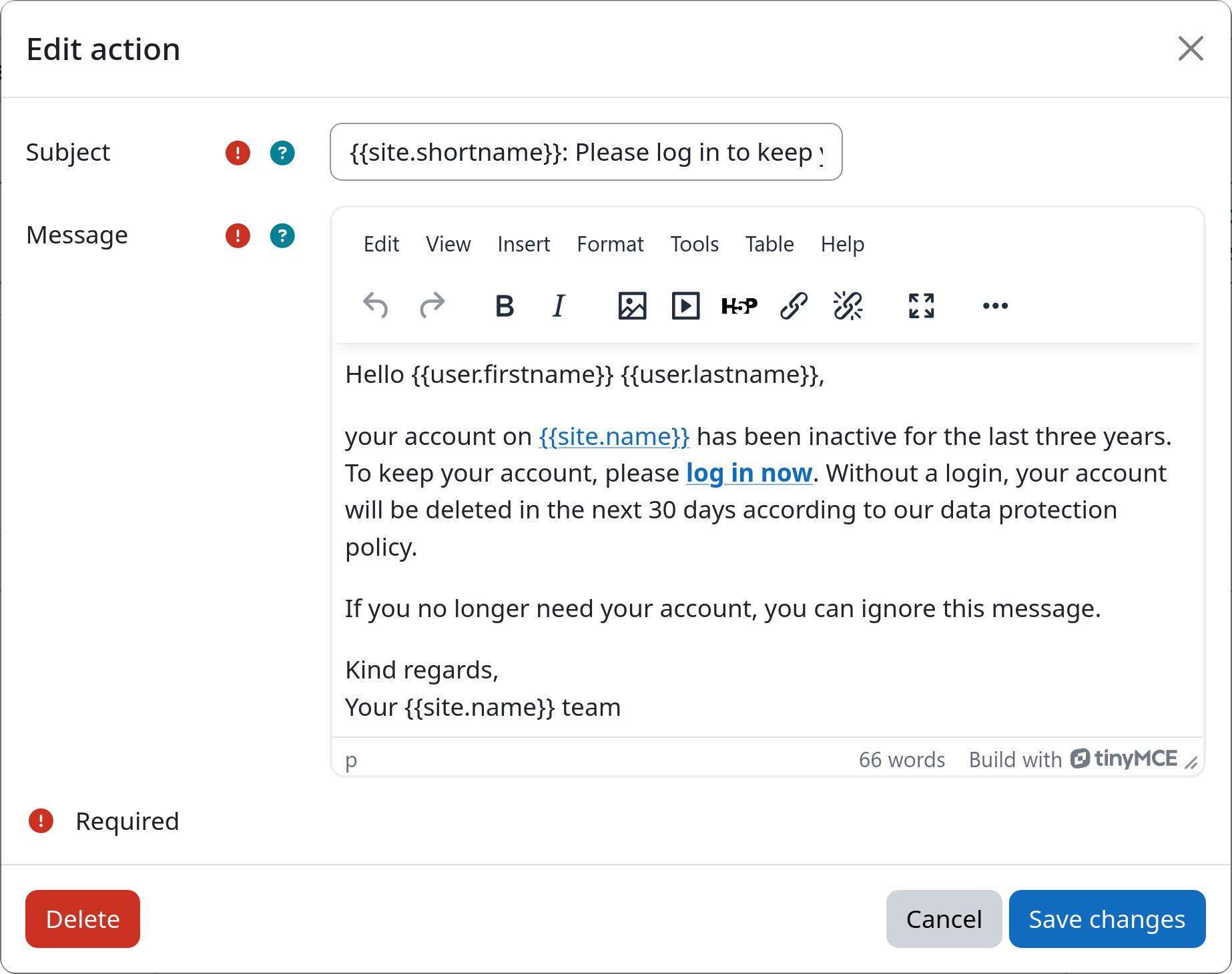
Controlling UI rendering
All declared instance settings are automatically exposed to the user via the
instance settings form in the workflow editing UI. Under the
hood, the instance settings form is built using the Moodle form API. See
subplugin_instance_settings_form for
exact implementation details.
The used form element type is controlled by the mformtype property of the respective instance setting descriptor.
Please refer to the Moodle Forms API Documentation
to determine the usable types.
AJAX-backed autocomplete elements
For autocomplete and autocomplete-multi elements whose option list is too large to embed statically, you can
delegate the search to an AJAX endpoint. Set ajax to the AMD module name of your search handler and provide a
choicesresolver closure — both must always be supplied together. Leave choices as null.
The form will call choicesresolver(array $selectedValues): array<int|string, string> at render time to resolve the
labels of already-selected values without loading the full option list, and also uses it when the form is displayed in
read-only mode.
new instance_setting_descriptor(
    key: 'cohortids',
    title: new lang_string('setting_cohortids', 'userdeletefilter_cohort'),
    type: PARAM_TEXT,
    required: true,
    default: [],
    choices: null, // No static list here.
    serialize: true,
    mformtype: 'autocomplete-multi',
    ajax: 'userdeletefilter_cohort/filter_cohort_selector',
    choicesresolver: static fn(array $ids): array => self::get_cohorts_by_ids($ids),
);
See Moodle Forms API Documentation: Autocomplete for more information.