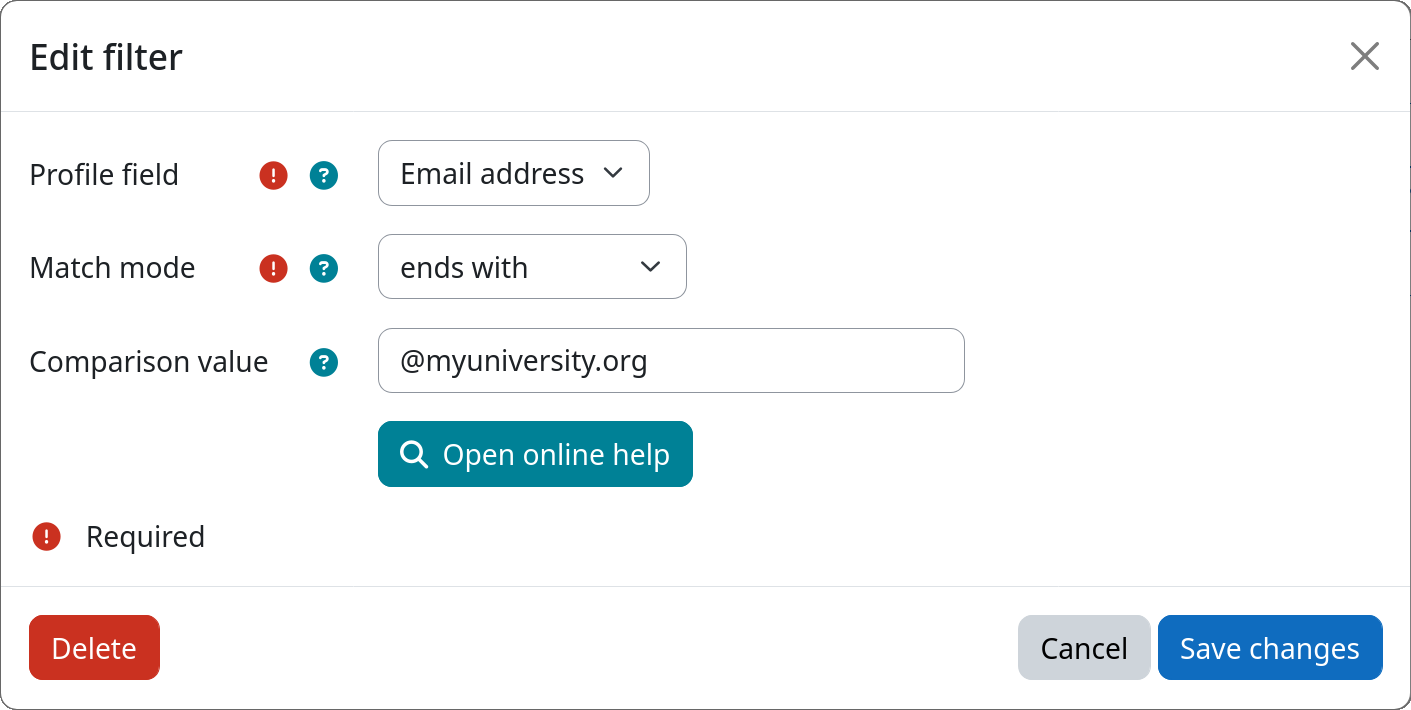
Filter: Profile Field
The profile field filter allows you to select users based on the value of a specific user profile field. Both standard Moodle profile fields (such as name, email, or idnumber) as well as custom profile fields are supported. This makes it easy to target users based on any attribute stored in their profile.
Combining multiple profile field conditions
To filter users based on multiple profile fields simultaneously, add one filter instance per field to the same workflow step. All filters inside a single step are combined with a logical AND. See workflow execution model for more details.
Settings
Profile field
Select the user profile field whose value should be checked by this filter.
The following standard fields are available: Full name, First name, Last name, Nickname, ID number, Email address, Department, Institution, City / Town, and Country.
In addition, all globally defined custom profile fields will be available.
Match mode
Select how the profile field value is compared against the configured comparison value (see below):
| Mode | Description |
|---|---|
| contains | Field value contains the comparison value (case-insensitive) |
| does not contain | Field value does not contain the comparison value |
| is equal to | Field value exactly matches the comparison value (case-insensitive) |
| is not equal to | Field value does not match the comparison value |
| starts with | Field value begins with the comparison value |
| ends with | Field value ends with the comparison value |
| is empty | Field value is empty or not set |
| is not empty | Field value is set and not empty |
Comparison value
The string to compare the profile field value against. Not required for the is empty and is not empty match modes.
Example